
The ultimate PC remote control for Series 60 phones
Owning the ultimate PC remote control for your Series 60 smartphone will change the way you listen to music and use your computer. Enjoy a degree of freedom that you'll never want to give up.
ControlFreak 2 is now even better at controlling music and video thanks to full Winamp Media Library support. If you've never used it, you don't know what you are missing. Forget about messing around picking you music files with a file browser. With ControlFreak 2 you search for tracks by name or browse by artists or albums. ControlFreak even helps keep your music better organised by automatically collecting compilation albums so they are easier to find.
Winamp's Media Library also handles videos so sit back, relax and enjoy the show. You can even set ControlFreak to automatically pause the action if your phone rings.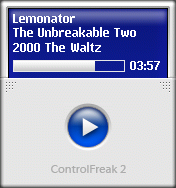
Features:
# Full Winamp Media Library support for ultra fast searching and browsing of your entire music collection by artist & album.
# Easy way to rate your music enabling smarter playlists.
# Automatic muting, pausing or volume reduction during calls.
# Full music and video play control (play, pause, next, previous, fast forward, rewind, stop and volume)
# Detailed track info
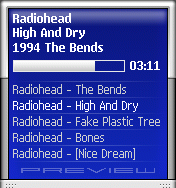
# Playlist view
# Spectrum analyser


Comapatible Devices:
A Series 60 2.x based smart phone: Nokia 3230, 3600, 3620, 3650, 3660, 6260, 6600, 6620, 6630, 6670, 6680, 6681, 6682, 7610, 7650, N-Gage and N-Gage QD, N70, N90, Siemens SX-1, Sendo X and Panasonic X700.
Download ControlFreak 2.
Installation Details:
- Run the installer and select your Winamp plugins directory and a location to copy the phone application.
- When the installer is complete it will launch winamp and the plugin will try to configure itself automatically. If you are using Microsoft Bluetooth drivers or the Widcomm stack, no manual changes should be needed. If you are using some other driver or are having trouble with the automatic settings, see the Bluetooth setup section below.
- Send the ControlFreak.sis file to your phone using the "Send To" right click menu option in Explorer, or use the software provided by your Bluetooth adapter. You can install the application to either phone memory or MMC.
- After installation on the phone a new item will appear in the application menu titled "CtrlFreak".
Post a Comment